Pixel Art Tips
ReturnWritten: 12/01/2026
Last edit: 24/02/2026
I am definitely not the best in the world at pixel art, but over the years I have noticed patterns that have genuinely helped me improve a lot, so I thought I'd write them here if they can help someone else instead of just keeping them to myself.
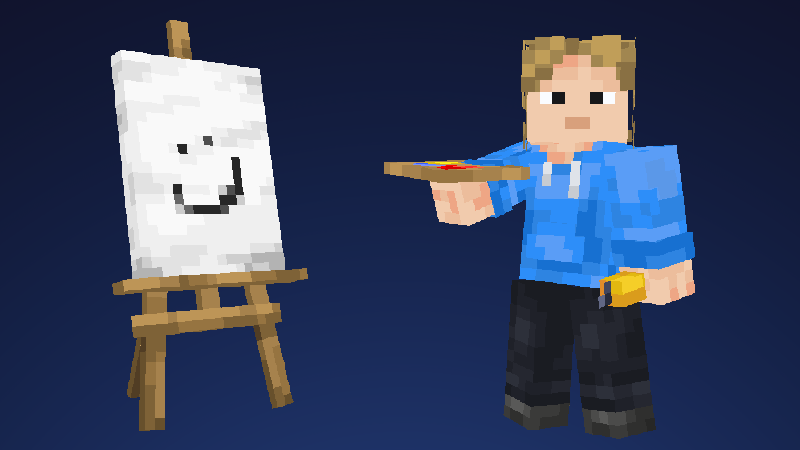
Texture from Form
Don't try and paint a 'texture'. Instead, you should be painting the three dimensional form / geometry of the object, and your texture will come from that.
If you are painting on a 3D model, imagine it as if you are sculpting — pushing in and pulling out the shape
tip: In Blockbench, at the top right of the 3D viewport you can disable the side shadowing effect by clicking the options icon in the top right of the viewport, and unchecking shading. This might help with making you add form shading more intentionally and deter 'pillow shading' at the edges of the faces.
Paint Images not Icons
This kind of leads on from the previous tip, and applies especially to 2d sprites, and it's that you should be thinking in 3D. Just because you've got a small area to work with doesn't mean you have to turn things to icons or graphic design. Try paint the pixels as if you were just painting any old picture - the same fundamentals of perspective and lighting still apply. These items below from Vectorwing's Detail Brush resourcepack are great examples of this.

They have geometry, and don't look like they are trying to be an icon representing something that does.
Edge Variation
Use Juxtaposition / soft / hard edges to add design to your shading, and create appealing shapes and rhythms. It also helps and eliminate the 'pillow shading' look and forces you to make decisive decisions about how you are choosing to sculpt the shape
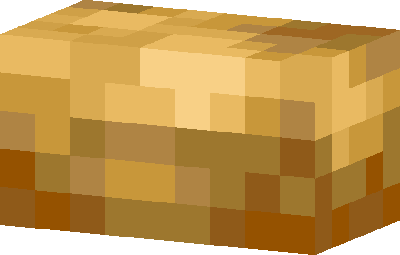
Here's an example from this potato model I did. Hopefully you'll be able to see how I've made the transition curving from the bottom to the top of the potato on the left side softer than the right. This adds interest and brings out the contrast of the colours you are juxtaposing against eachother.
Don't overthink it
Just focusing on the ambient occlusion / 'heightmap' is all you need. You don't need to be thinking about bounce lighting or do hue shifting or any fancy colour techniques for a vanilla Minecraft style. The most important thing is your drawing, and clearly communicating the object.
The end
The best thing you can do is just start making your own pixel art. Take real time to evaluate whats working and what isnt working for yourself.
I hope you have found these tips helpful. If you have any suggestions to add to this list, you can contact me here and I will consider adding it.